SavvyFi can link to 99% of U.S. banks and credit unions. If you have trouble linking yours, try entering your bank information manually.
Step-by-Step Instructions
Log in to your SavvyFi account.
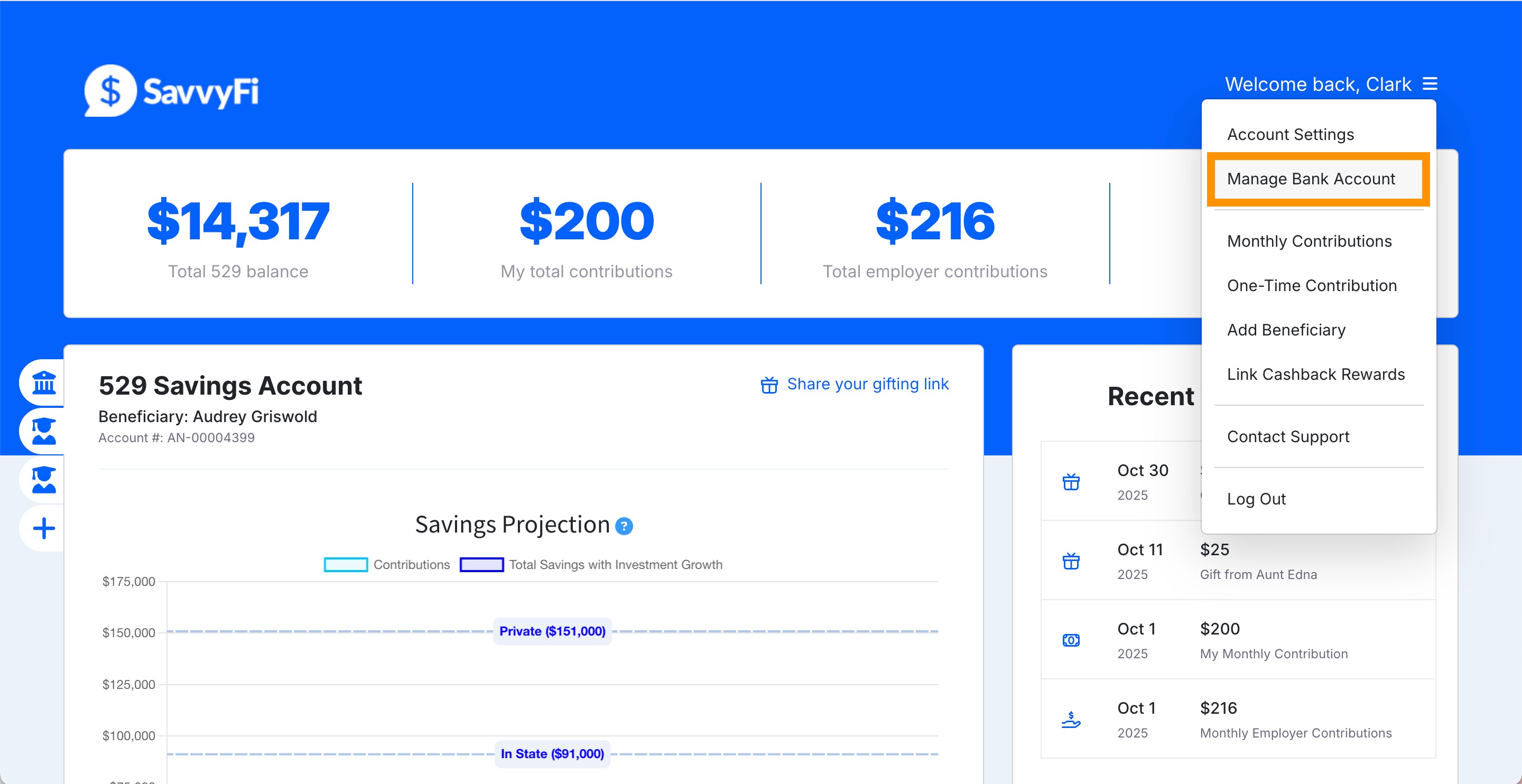
From the menu, click "Manage Bank Account”
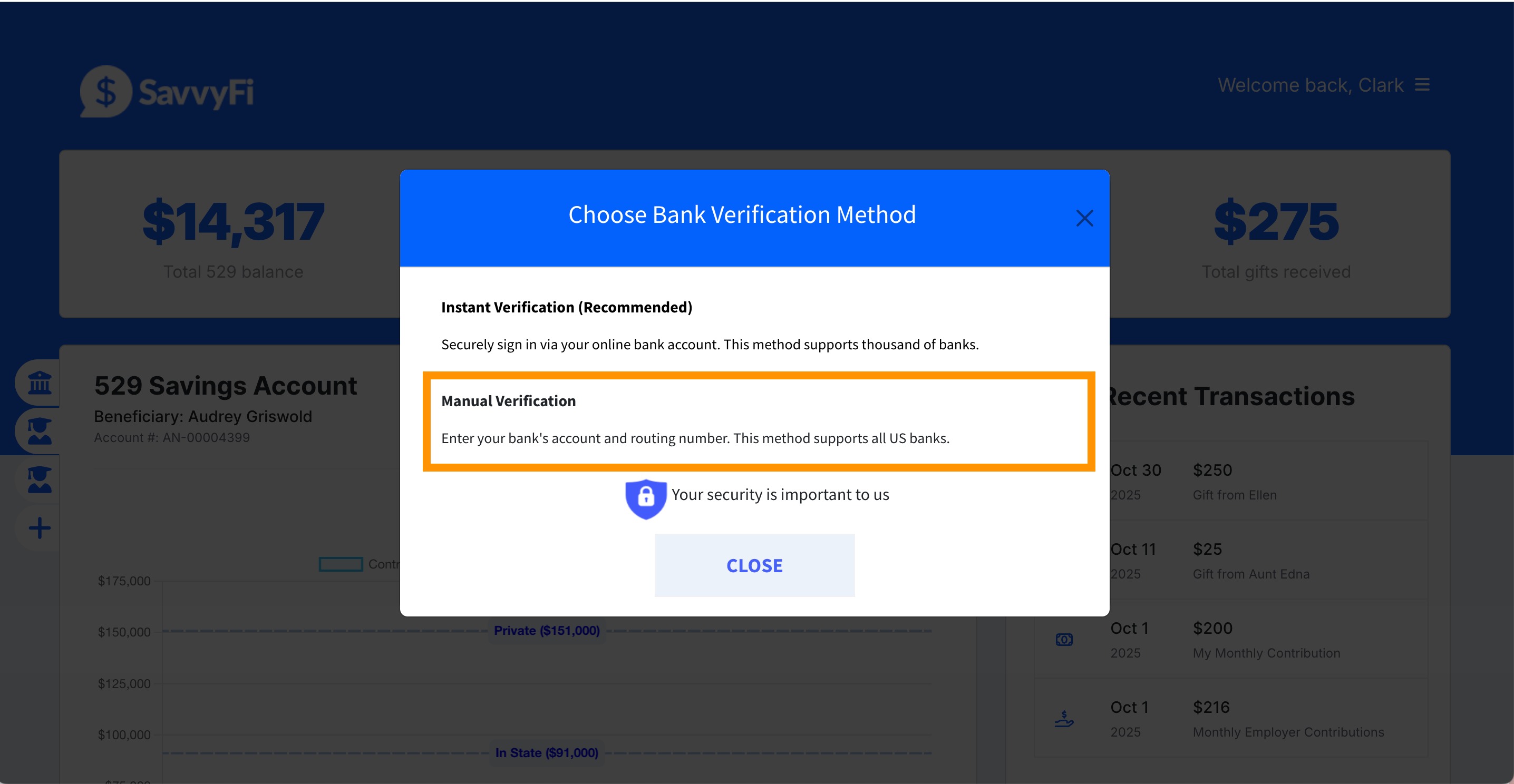
Click "Manual Verification"
Enter the following:
Routing Number (9-digit number found on your checks)
- Account Number
- Account Type (Checking or Savings)
Questions? Reach out to support@savvyfi.co. We’re here to support you.
Was this article helpful?
That’s Great!
Thank you for your feedback
Sorry! We couldn't be helpful
Thank you for your feedback
Feedback sent
We appreciate your effort and will try to fix the article